Create an Instructor
With the Sanity integration, Skillsaint allows you to smoothly create an instructor to publish any blog or course. Also, you can manage your content easily with Sanity. In this guide, we will share how you can create an instructor with simple steps.
Here’s a quick overview on how to create an instructor from Sanity studio.
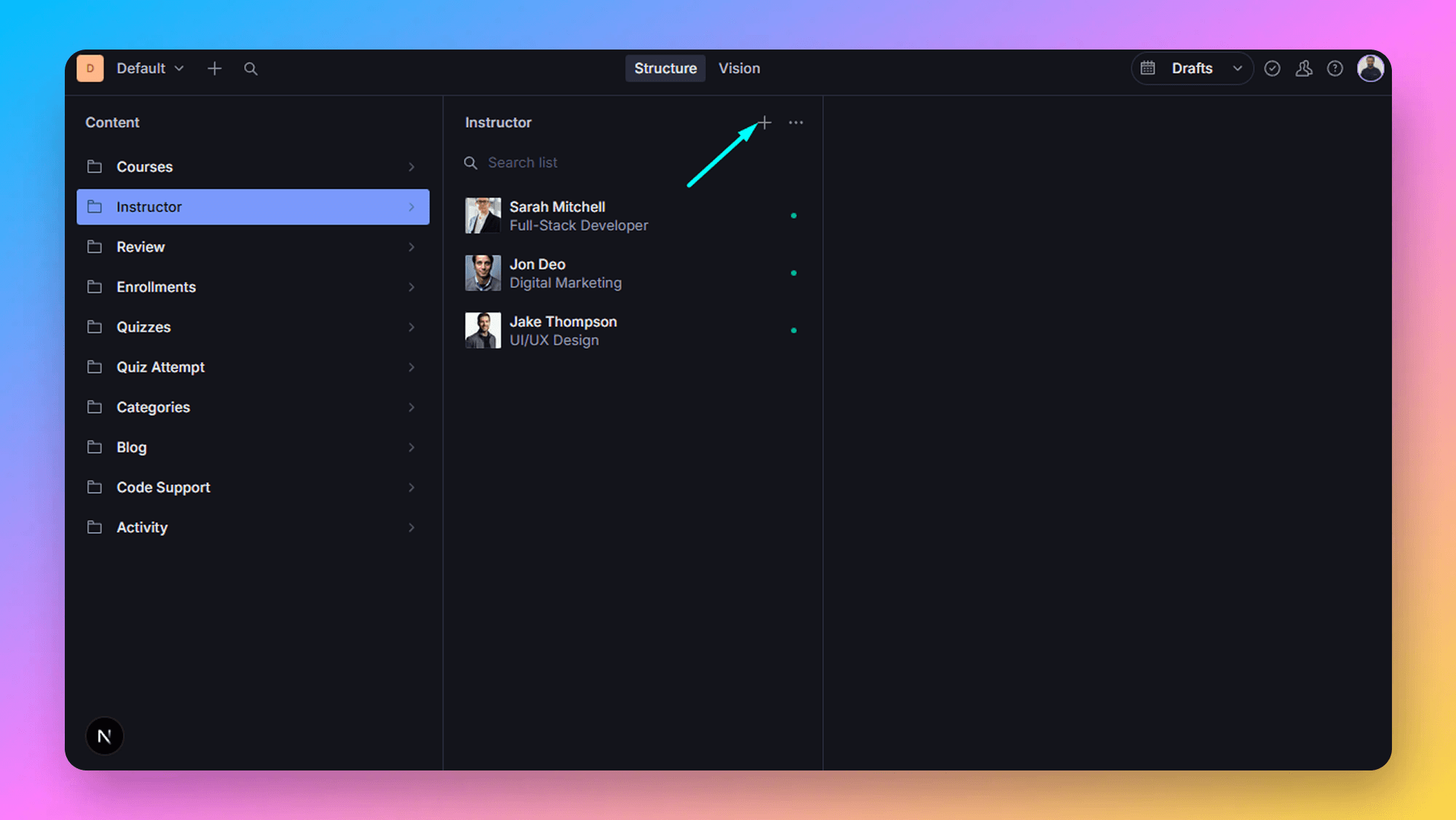
- Select the instructor tab then click on the Create icon as shown below.
- Add the required data to create an Instructor. After that click on the Publish button to publish it.
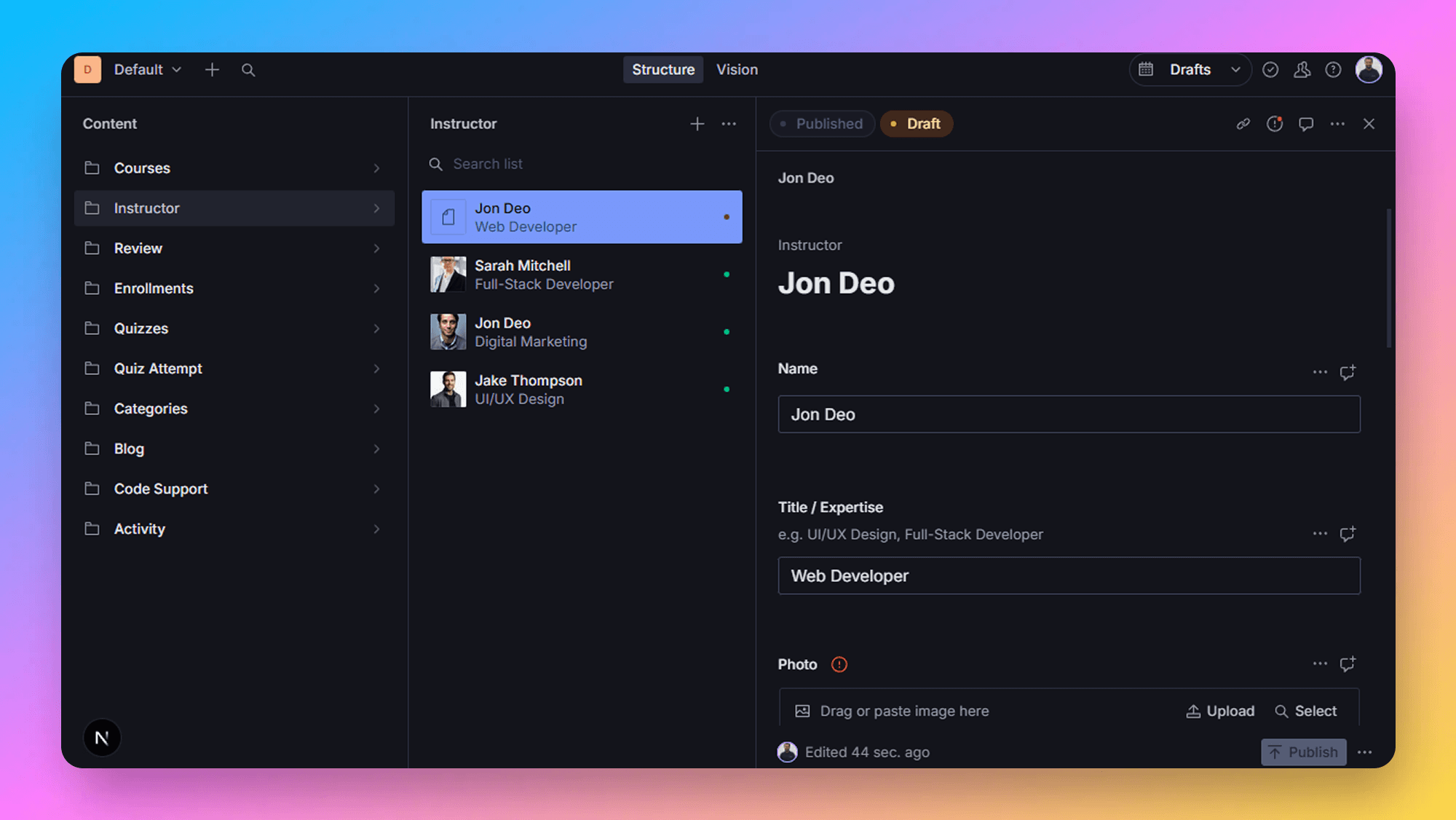
The author is created successfully, now let’s write an article.
Tips to Manage the Authors Effectively
- Use a descriptive slug and optimized description to improve the SEO and make the URL user-friendly.
- Upload optimized images for fast loading speed.
- Frequently update the author bios with the latest achievements.