How to create a course
In this part of the documentation, we are going to show you how to create and publish a course from your admin dashboard.
Follow the steps below to create and publish a course:
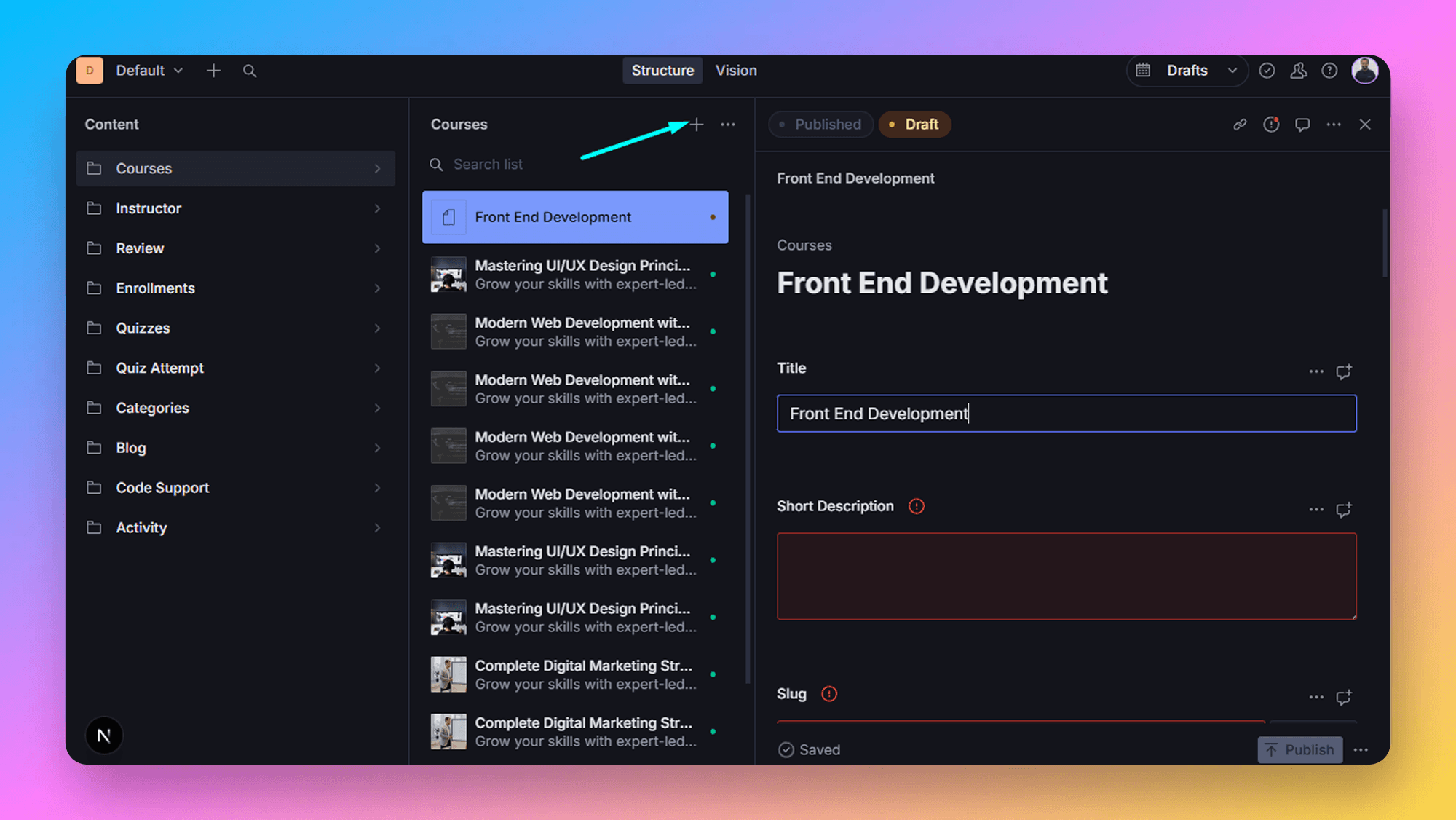
- Select the course tab then click on the Create icon as shown below.
- Add the required data to create a Course. After that click on the Publish button to publish it.
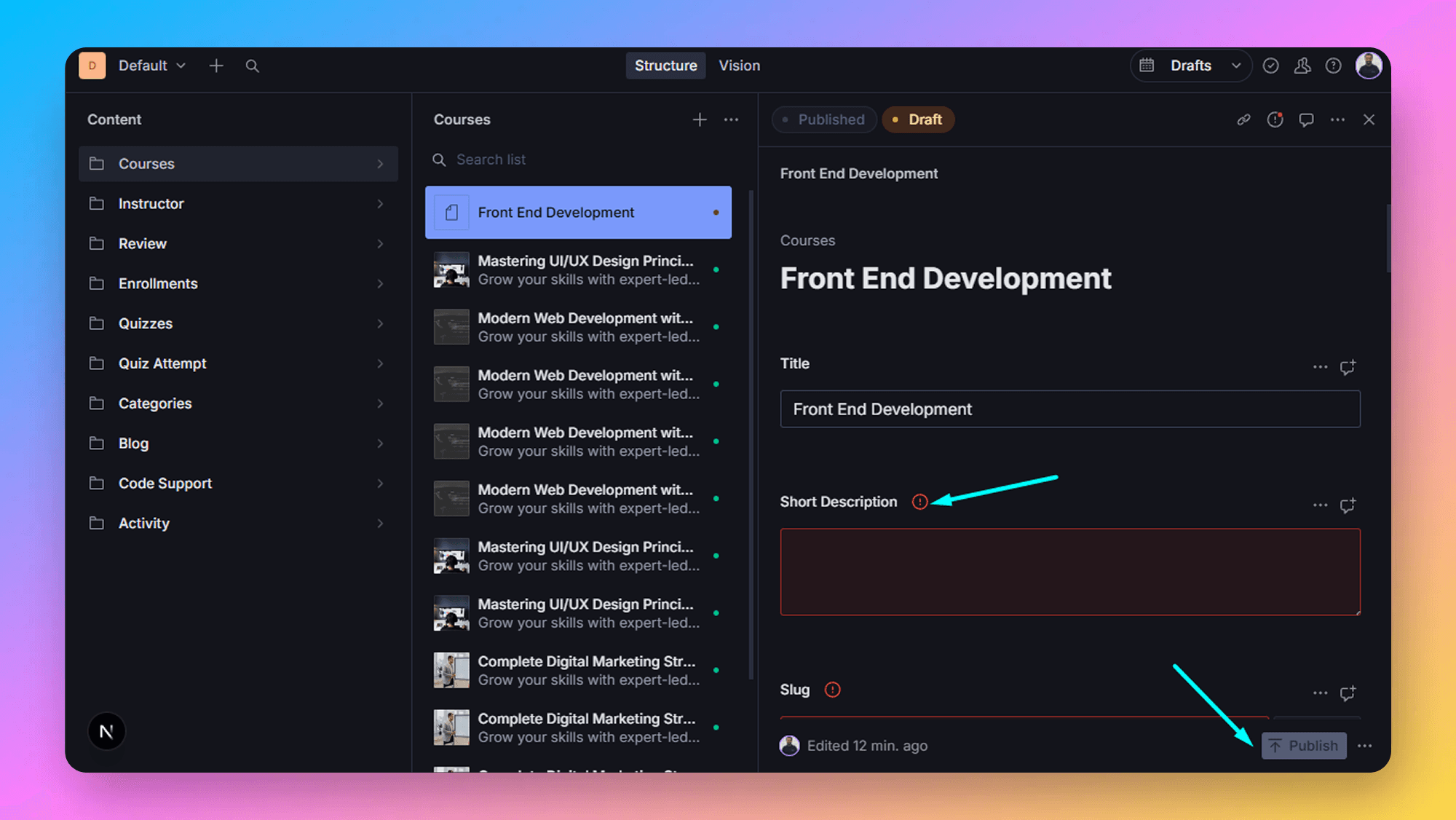
The course is created successfully, now let’s write an article.
Tips to Manage the Courses Effectively
- Use a descriptive slug and optimized description to improve the SEO and make the URL user-friendly.
- Upload optimized images for fast loading speed.
- Frequently update the author bios with the latest achievements.