Getting the Stripe Secret Key
To get the Stripe secret key you have to have a Stripe account. If you don’t have one go ahead and create it.
For this integration, we are using the Test Mode. Before you deploy your site, make sure to Activate your Stripe account and integrate it with a real Secret Key.
- Log in to your Stripe Dashboard
- Go to the Developers section.
- Find your API keys (publishable key and secret key)
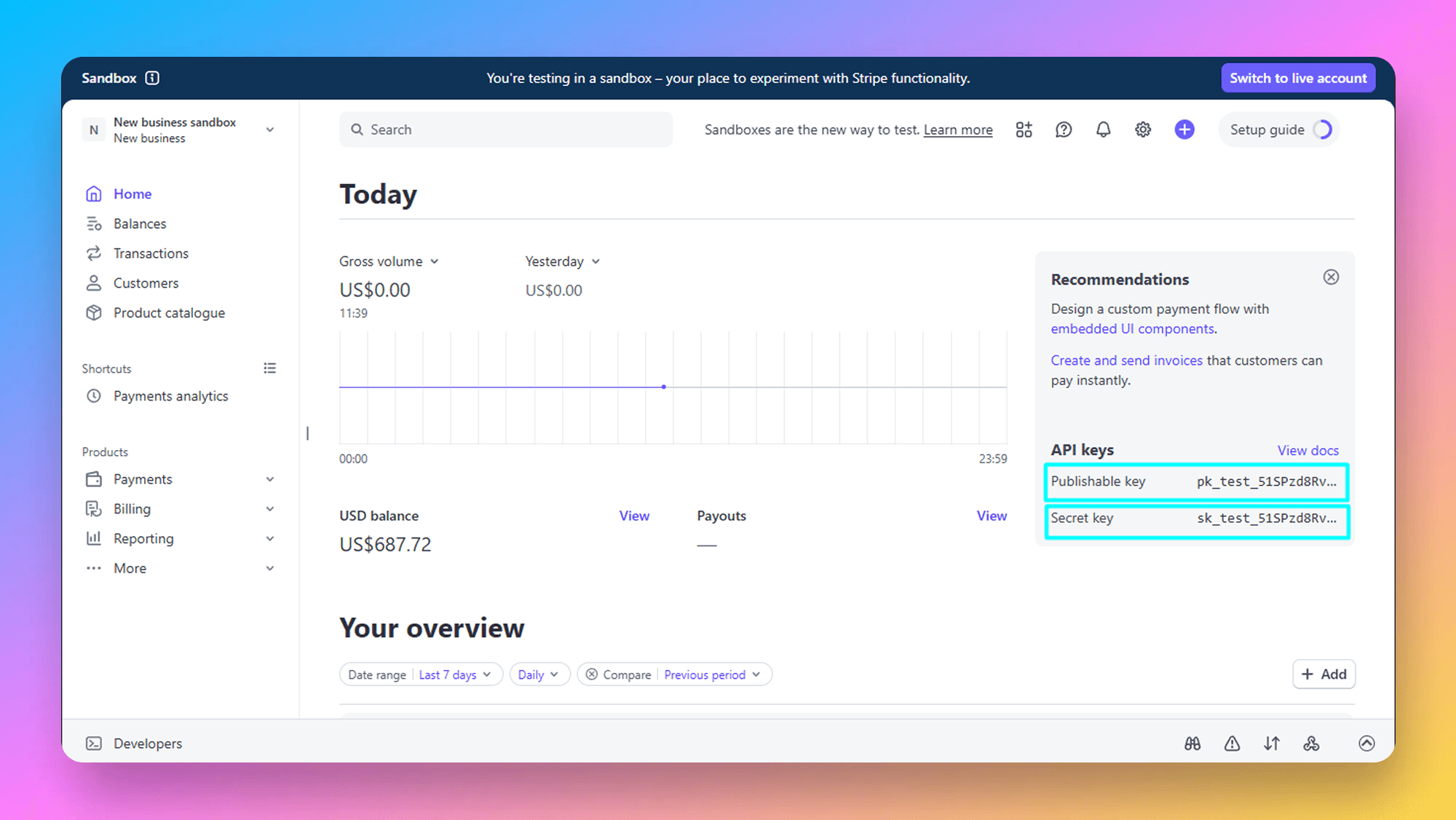
Now add it to the .env file.
STRIPE_SECRET_KEY=YOUR_STRIPE_SECRET_KEY
NEXT_PUBLIC_STRIPE_PUBLIC_KEY=YOUR_STRIPE_PUBLIC_KEY